
Overview
Autodesk offers free, fully functional educational licenses for most of their software, including Maya and 3DS Max. The offer is available to degree and continuing studies students, support staff, and to any faculty teaching at Emily Carr.
CAUTION - Please note that any your personal information you provide will be stored and accessed on Autodesk's servers which may be located worldwide outside of Canada. You are responsible for any risk associated with providing any additional personal information, and should read and understand your privacy options as described in Autodesk's Privacy Statement.
Instructions
|
|

*click on the image to zoom in*
|
Step 1:
Go to: https://www.autodesk.comor open any Autodesk application (AutoCAD, Revit, Inventor, Fusion, etc.). Click Sign In.
|
 *click on the image to zoom in* *click on the image to zoom in*
|
Step 2:
You will be redirected to Emily Carr University's Microsoft 365 Single Sign On (SSO) page. Enter your @ecuad.ca email and password. Then click Next and follow the instructions on the screen.
|
|
*click on the image to zoom in*
|
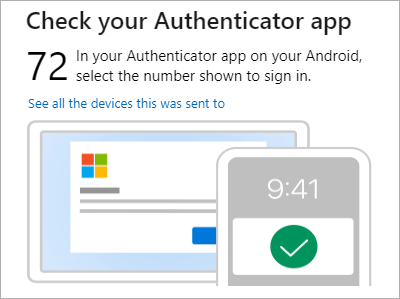
Step 3:
Complete the multifactor authentication when prompted.
|
| |
Step 4:
Autodesk will use your Emily Carr University Microsoft account to sign you in. There is no Autodesk password to create or remember, as Microsoft manages the sign-in process.
|
CAUTION - Please make sure you enter your school email address (@ecuad.ca) and password correctly. Your Multifactor Authenticator (MFA) needs to be setup beforehand. For further information regarding how to set up your MFA, please visit this link.
If you are experiencing issues logging in, please submit a Software for Personal Computers ticket.